Products
Permissions
The relevant list of permissions for the Products object:
-
Access to V3 Sync Data Products Menu.
-
Can change product records.
-
Can delete product records.
Navigation
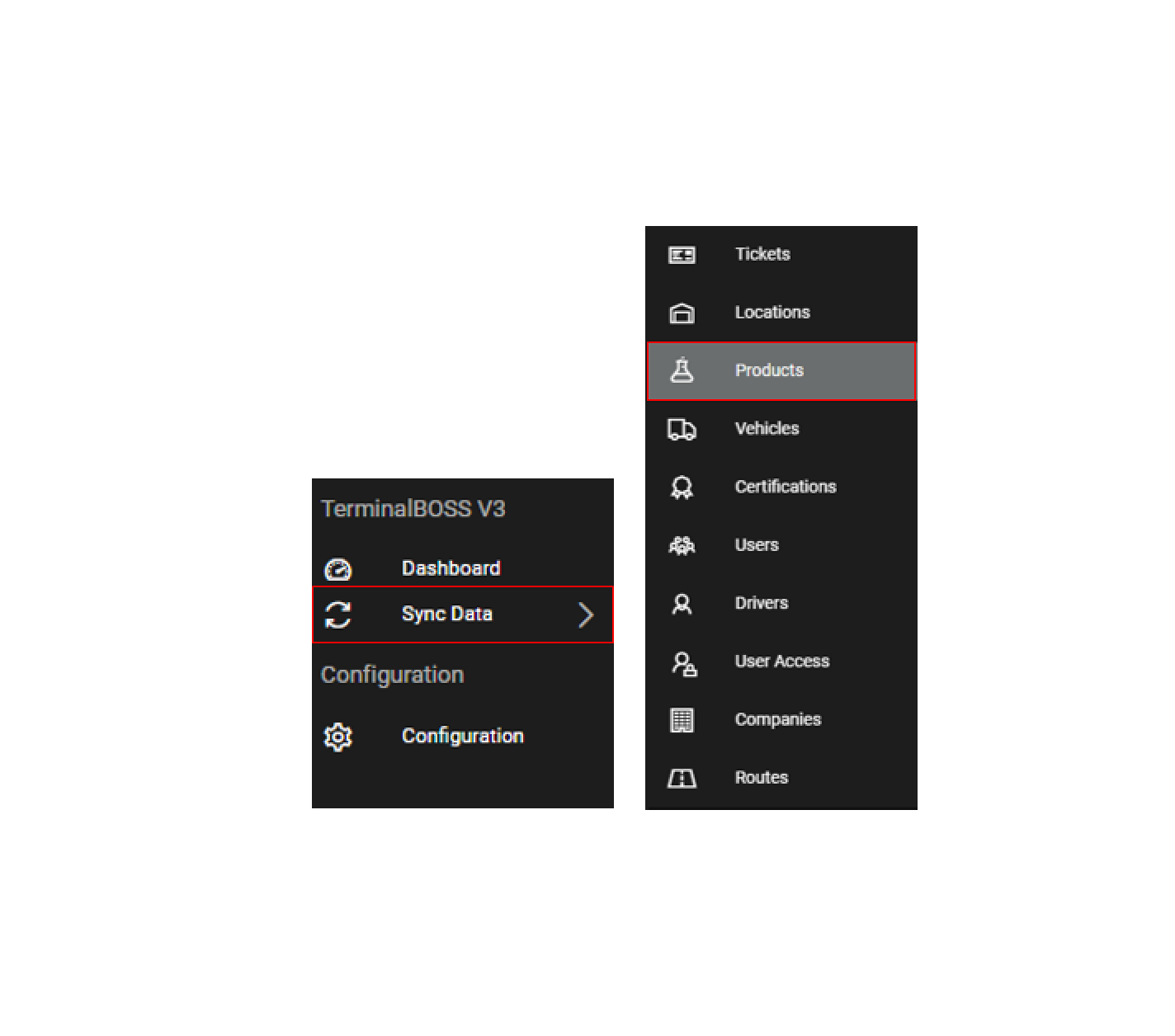
The Products object can be accessed by permitted users from within the TerminalBOSS V3 menu and Sync Data submenu on the left side of the screen:
Landing page: Table View
The landing page is a table overview of all product records that have been created:

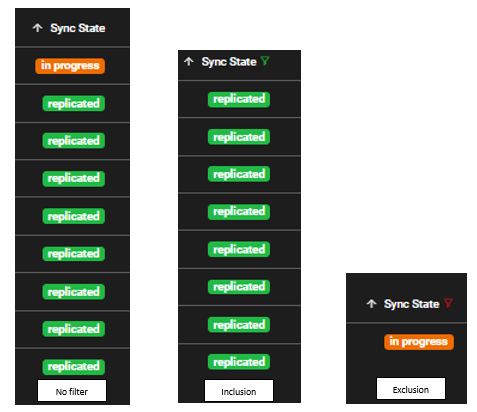
On this page, users can filter on any of the columns by right clicking on the particular column and searching for the key word or selecting one of the choices. A green selection (one mouse click) is an inclusion and a red selection (two mouse clicks) is an exclusion. The applied filters can easily be cleared from the same dropdown menu.
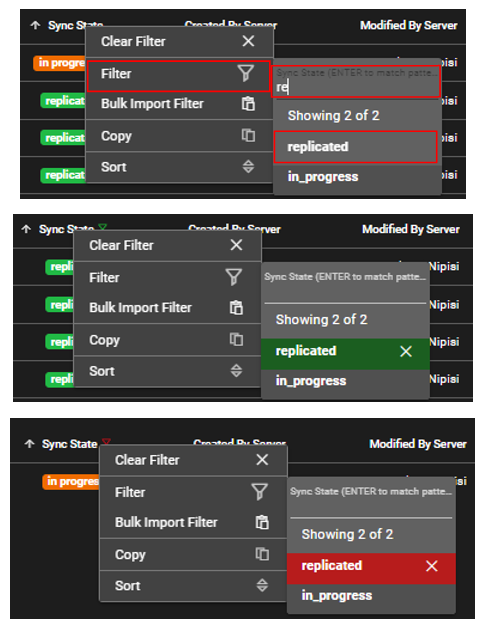
Filtered column appear like so:
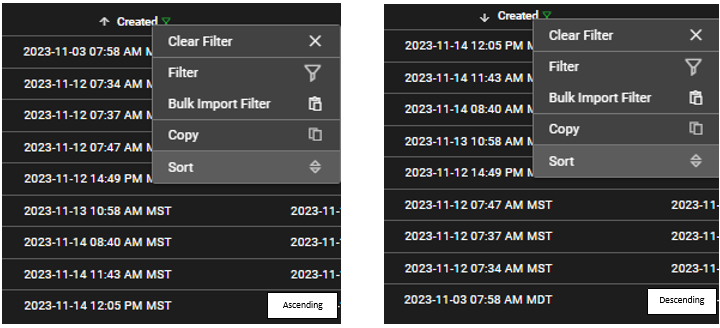
On this page, users can sort the column by clicking on the column name or by right clicking and selecting sort:
Landing page: Hierarchy View
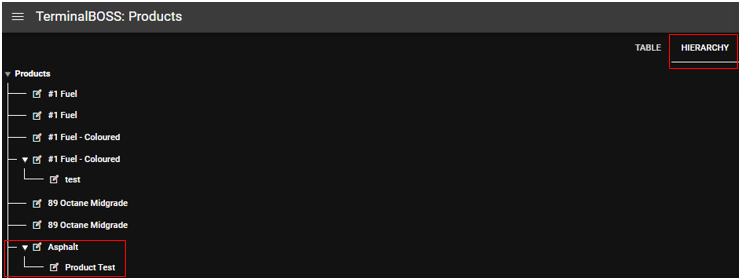
The products object has another view, Hierarchy. This enhances the visualization of products that have parent-child relationships.
Create a new record
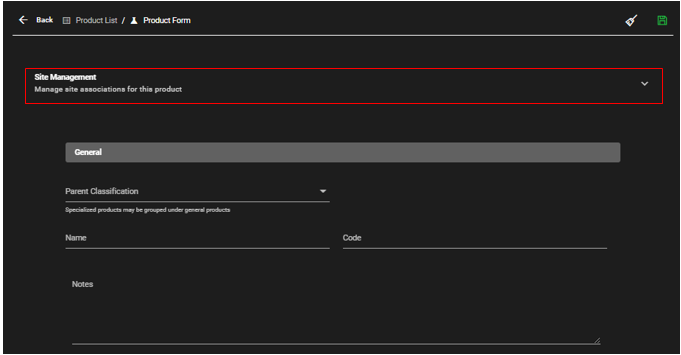
Permitted users can create new records under the Products object by selecting "ADD PRODUCT". This action opens up a blank form that can be filled out.

When filling the product form, always start by defining the site management section before filling out the remaining fields:
Mandatory vs Optional Fields
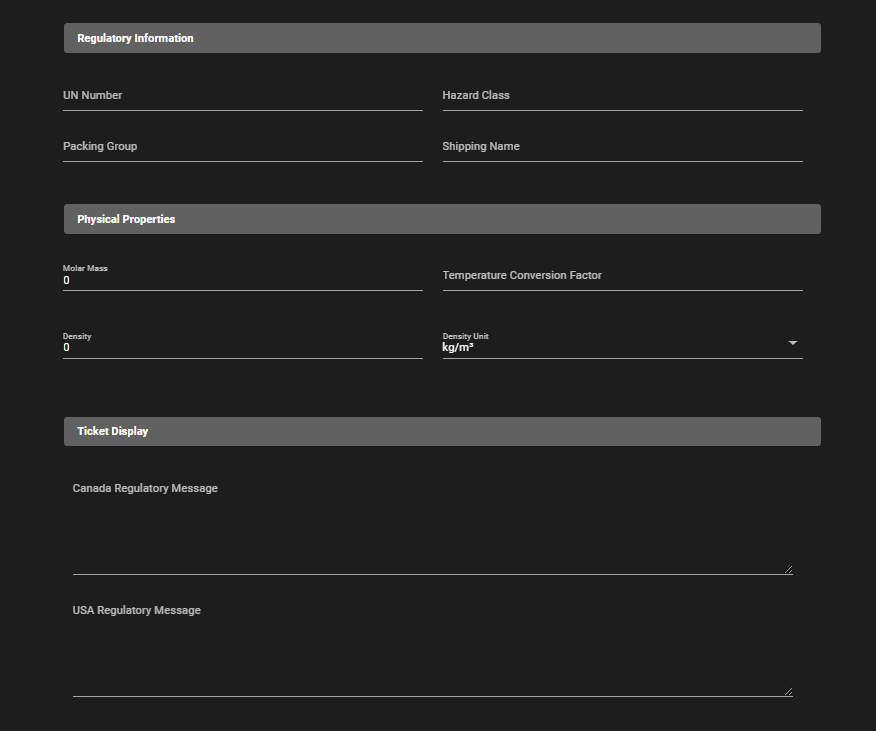
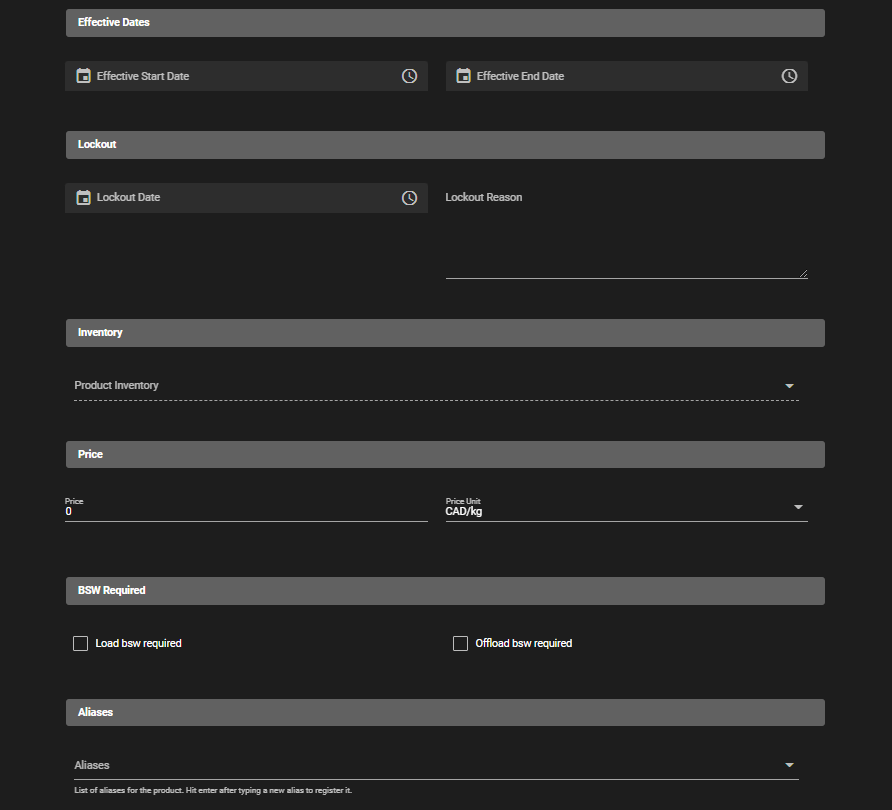
Within the Product form, some fields are mandatory and others are optional. The best practice is to fill out all the necessary fields according to your organization's standards.
Mandatory:
-
Name
-
Code
Optional:
-
Site Management
-
Parent Classification
-
Notes
-
UN Number
-
Hazard Class
-
Packing Group
-
Shipping Name
-
Molar Mass
-
Temperature Conversion Factor from 15oC to 60oF
-
Density
-
Density Unit
-
Canada Regulatory Message
-
USA Regulatory Message
-
Product Inventory
-
Price
-
Price Unit
-
Capture BS&W on Load
-
Capture BS&W on OffLoad
-
Aliases
Edit an existing record
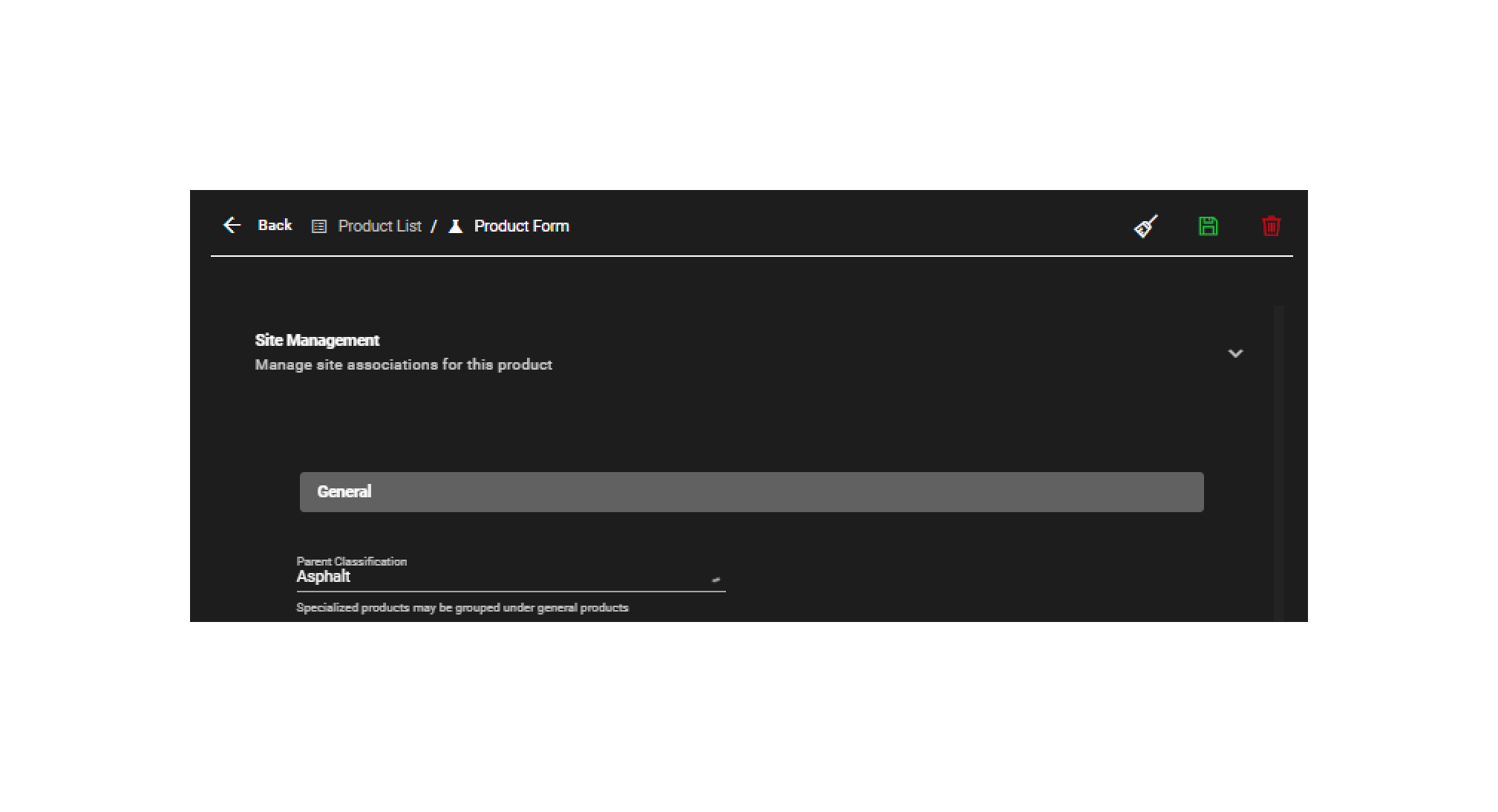
Permitted users can edit existing records by using the "edit" button. This action opens up the product form.

Save a new or existing record
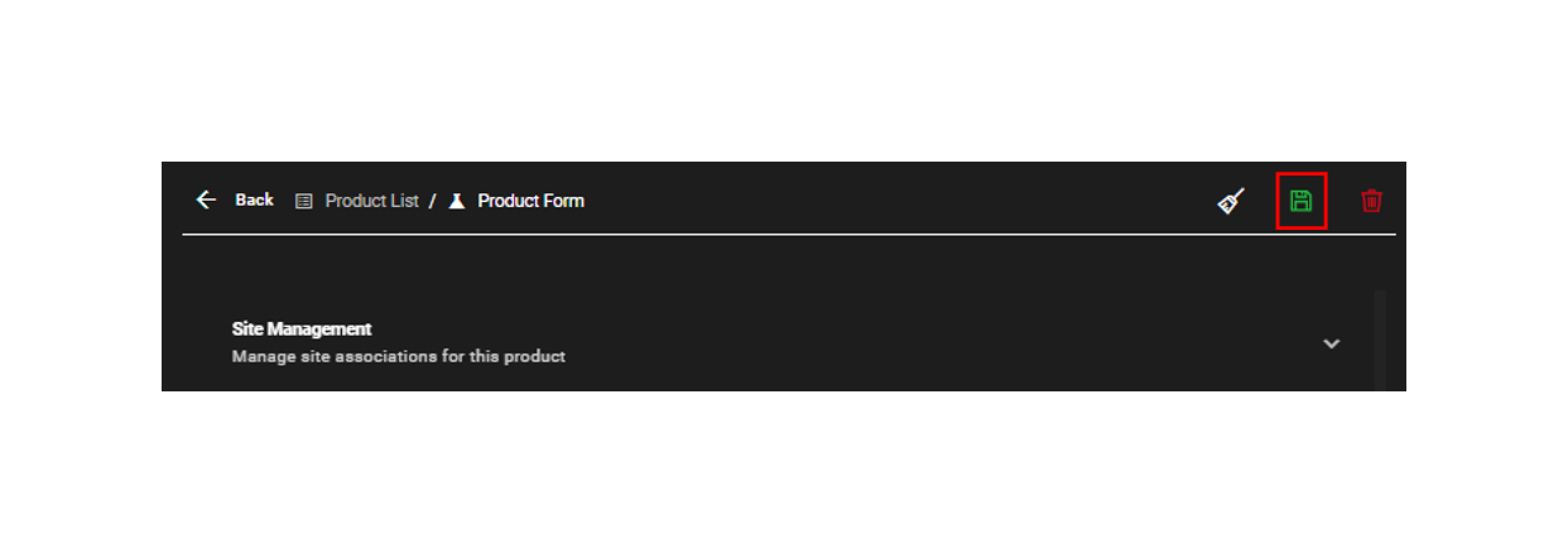
For new and existing records, after changes are made to the fields, use the save button to save changes. These changes will be replicated in TBOSS accordingly.
Deleting a record
Permitted users can delete existing records for the products objects. This can happen from two places, the landing page and the form page. A record can only be deleted if it hasn't been used in any transaction or ticket!
The table view:
The form view:

Other actions
-
Export to CSV: Located in the table view. Users can export records within the Products object as a CSV.

-
History logs: Located in the table view. Users can view the changes to records within the Products object.

-
Activate Sync: Located in the table view. Users can initiate sync with TBOSS for updated Product records.

-
Clear form: Located within the form view. This will clear any changes that were made since the last save.
