Managing Shipping Schedules
A contract can have several shipping schedules, each schedule represents a plan of a business' shipments in advance based on their supply chain or demand.
Example of schedules in a contract:
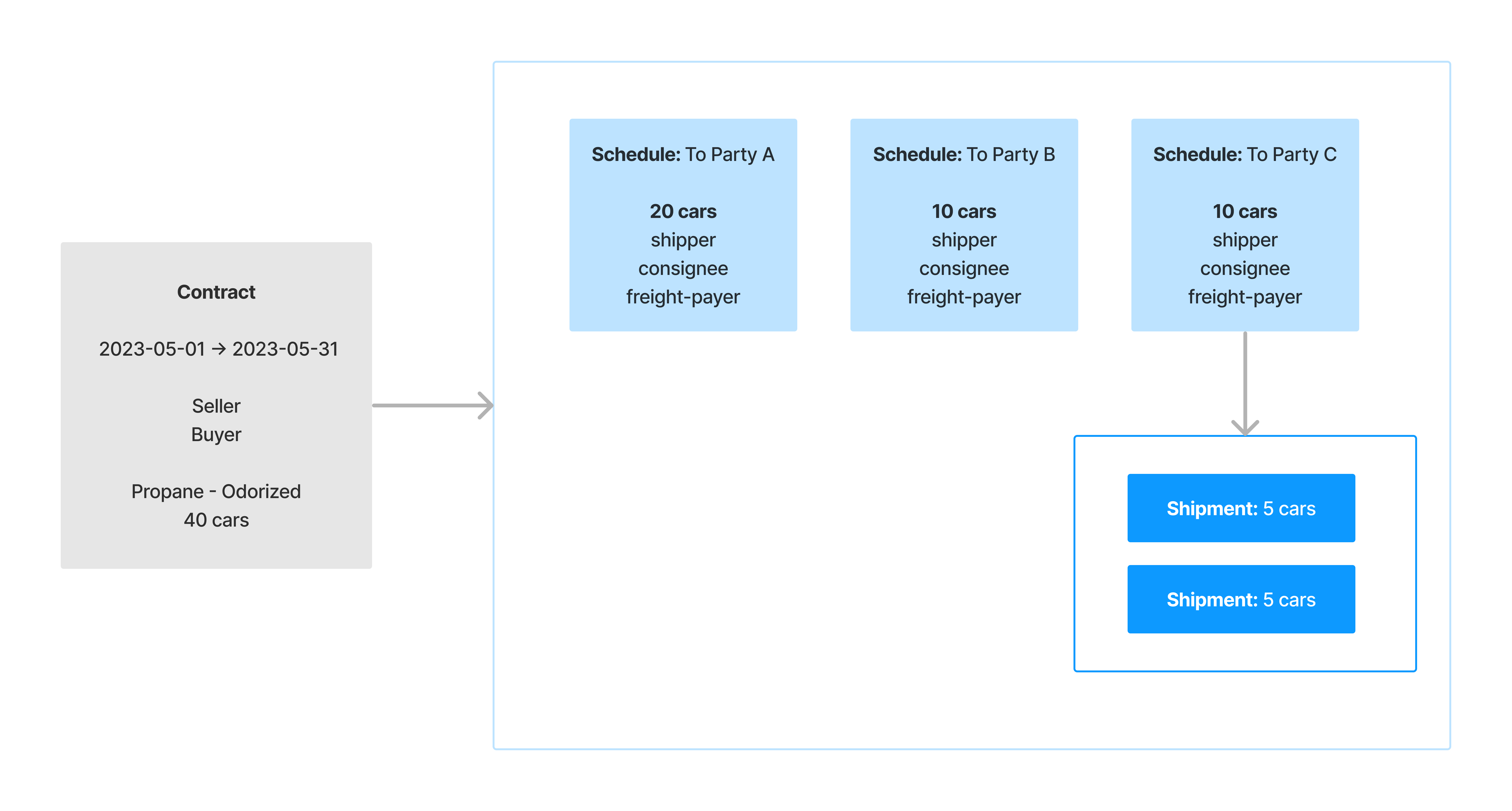
The diagram visualizes the relationship between a contract and the schedules within the contract. In this contract, the buyer claims 40 cars of odorized propane, and needs to ship fractions of that bulk to three parties, the schedules are also respectively: Party A, Party B, and Party C.
Creating a Schedule
To create a shipping schedule, select the contract:
-
Click the '+' sign in the 'Shipping Schedules' section.
-
Select the pen icon next to 'Shipping Schedule' to name the schedule, and save.
-
Select the origin, destination, method of freight-charges, and route.
-
Open the 'Parties' accordion, select options for the following required fields: Shipper, Consignee, and Freight Payer.
NOTE: A shipping schedule is dependent on a contract, learn how to manage contracts.