Facilities
To add facilities, click on the 'Add Facility' button to open the 'Add Facility' form where you will provide information about the new facility.

Within the 'Basic Information' tab of the 'Add Facility' form, select and fill in the following fields:
- Name: The official name of the facility.
- Alias: Any alternate name or abbreviation the facility.
- Emergency Phone: A contact number for emergencies.
- Firms Code: The facility's FIRMS (Facilities Information and Resource Management System) code.
- Railroads: The railroads that service the facility.
- Legal Description: A legal description of the facility, if applicable.
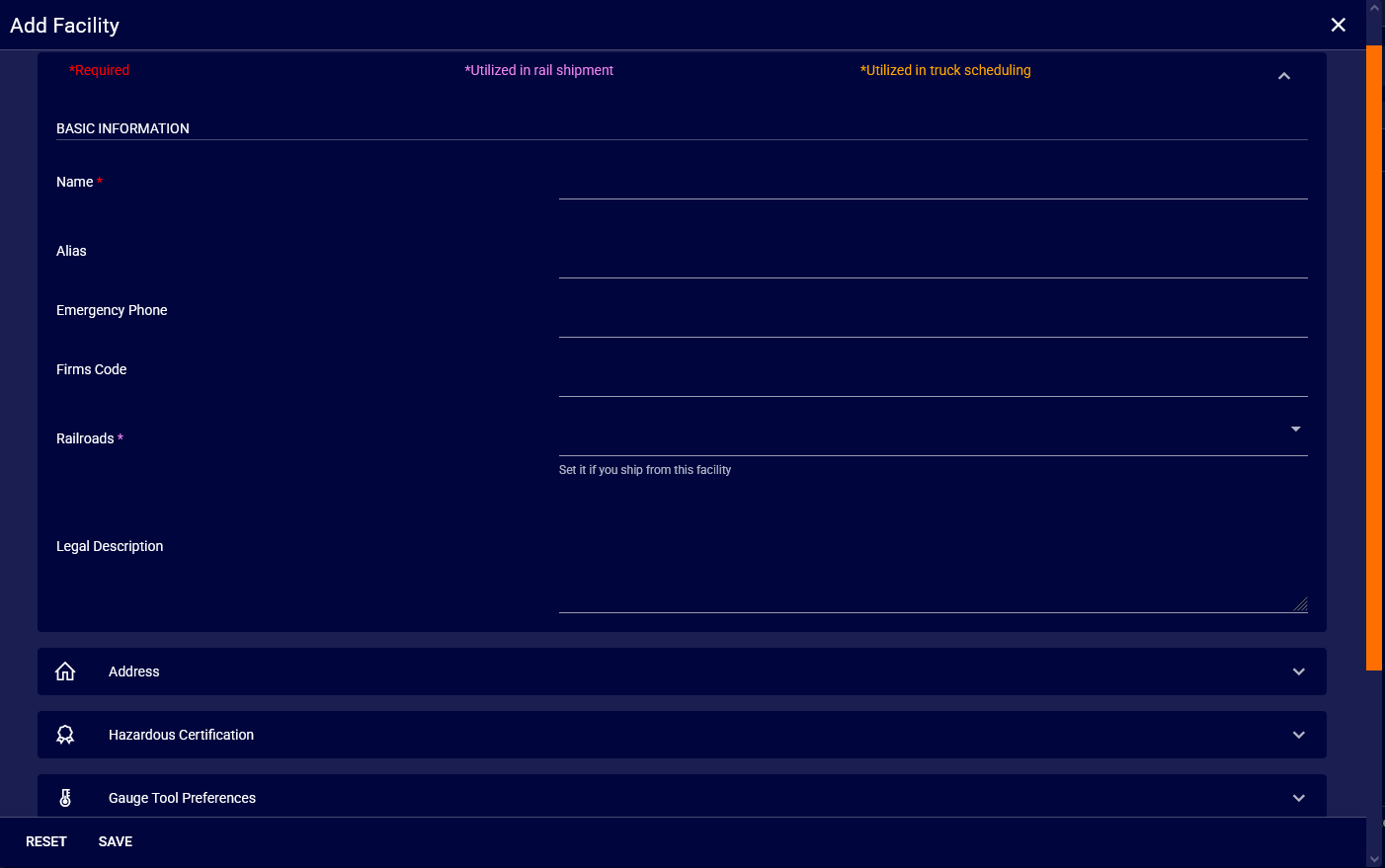
Once 'Basic Information' is filled, go to the 'Address' section to input more specific information:
- ATTN: The person or department to contact at this address.
- Name: The name associated with the address, if different from the facility name. If the same, copy and paste from above.
- Address 1 & 2: The street address for the facility.
- Country/Province/State: The country and the state or province where the facility is located (enter in short form, i.e. CA/AB).
- City/Postal/Zip: The city and postal or zip code of the facility.
If your facility handles hazardous materials, you can provide certification details in the 'Hazardous Certification' dropdown. After ensuring all the details are correct, click the 'Save' button to add the facility to your network.