User Administration
The complete dashboard layout includes the 'Shipment Tracking map', 'Trip Time Metrics', 'News', and 'Contracts' sections side-by-side. This page serves as the central command center, providing industry updates and a comprehensive view of current logistics activities.

In the 'General' section, input the essential details of the user:
- email: The email for the users account.
- Name: The name of the user.
- Phone number: Number associated with this user.
- Active: Ensure this is toggled on, otherwise a user will not be active and able to use their account.
- Password: Create the users password which can be changed by the user at any time.
Once 'General' is filled, go to the 'Permissions' section to input more specific information:
- Roles: Assign a specific role to a user if applicable.
- Groups: Assign an applicable group to the user.
- Permissions: Choose from the list of available permissions assigned to your company.
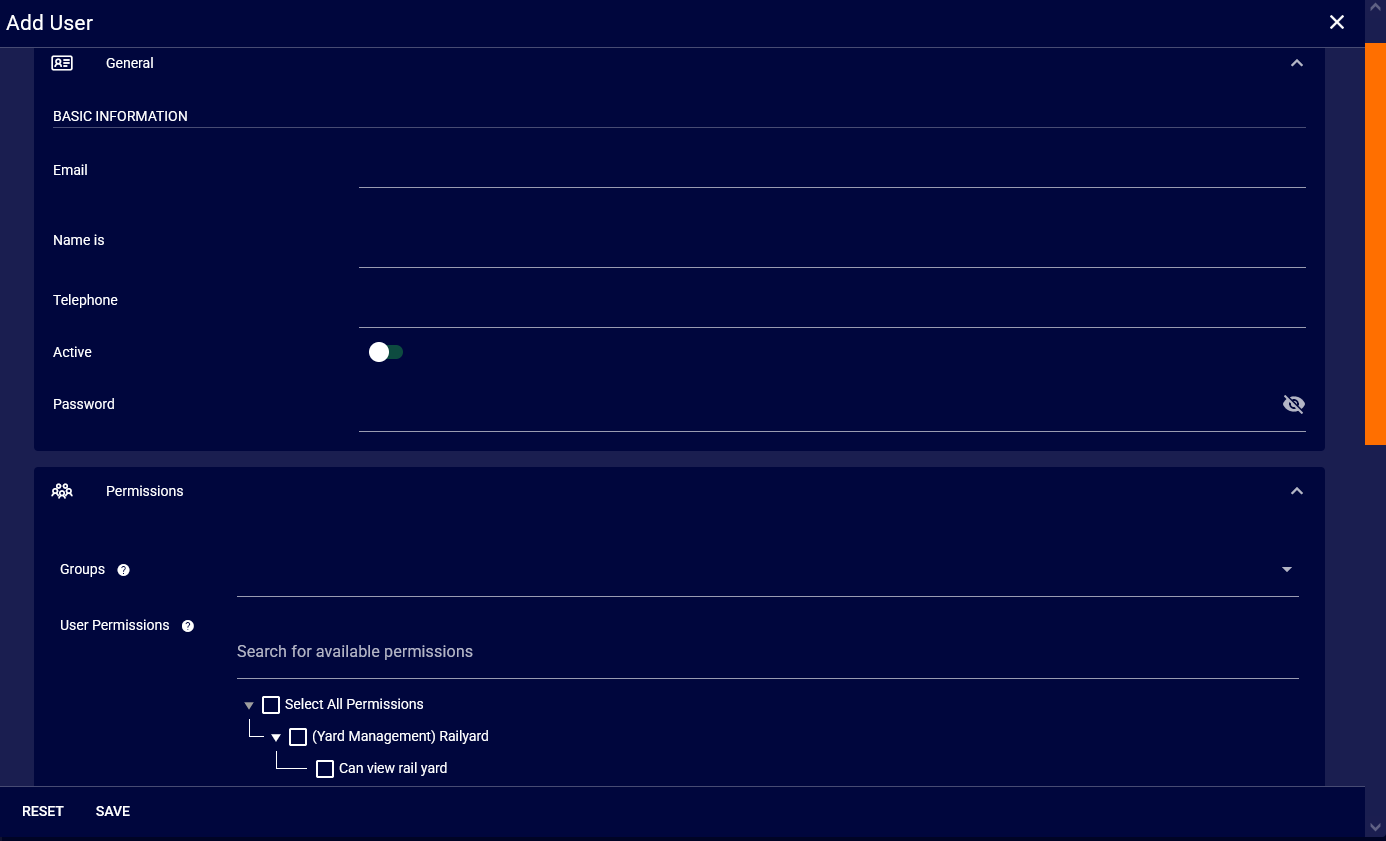
Once you have the user information entered and the proper permissions selected, save the user. You can edit a users details after saving at any time if necessary.