Fleet Management
The 'Fleet Management' module is a tool for users to organize and display their rail car fleet in multiple ways. This area is sectioned out into an 'Overview' page for a quick glance, and a 'Cars' page for more detail to each car and their respective groupings.
Car Status
The 'Car Status' section displays a quick view of your current cars, the date of their lease expiry, and how many are due for maintenance.
Cars
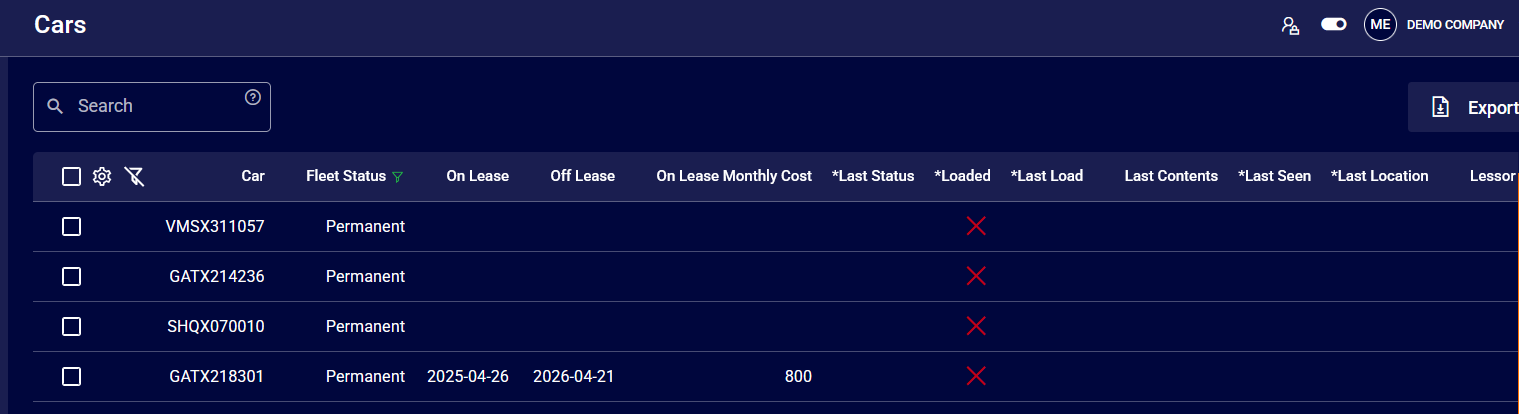
The cars section of 'Fleet Management' is a centralized location to track your railcars. The system streamlines the management of railcar, operations, leasing, and their organizational categorization, such as division, fleet, and project assignments.
Editing Railcars
Cars can be edited individually by selection or imported and organized into specific fleets for reporting purposes.
Once you have selected the boxes beside the cars you wish to update, click on the gear icon in the top left to view the following menu.
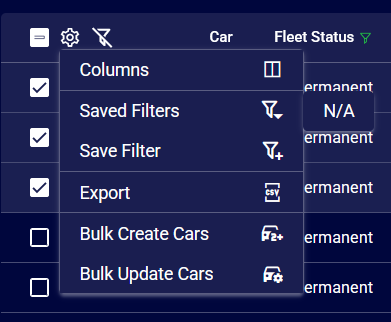
1. Bulk Create Cars
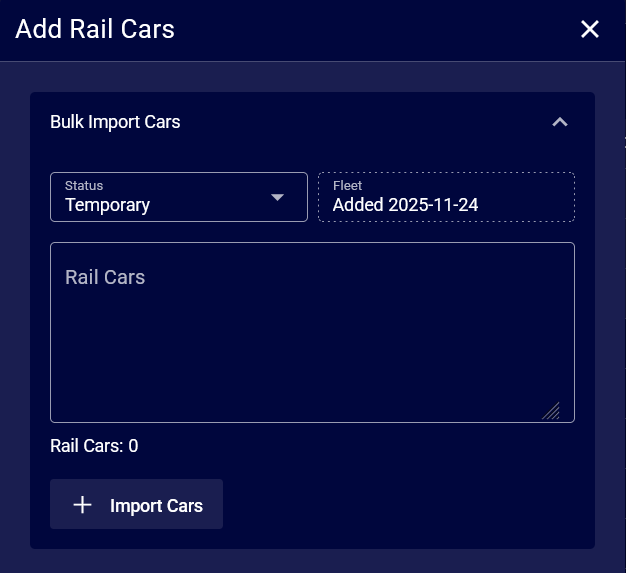
Selecting 'Bulk Create Cars' will allow you to import a list of cars you wish to add to Wheelhouse and view as a part of your fleet.
Input your chosen cars and specify their entered separation by new lines, commas, or spaces.
Once the cars are separated appropiratly, set their status within your fleet and select 'Import Cars'.
2. Bulk Update Cars
Selecting 'Bulk Update Cars' will allow you to update a number of cars you wish to change in Wheelhouse.
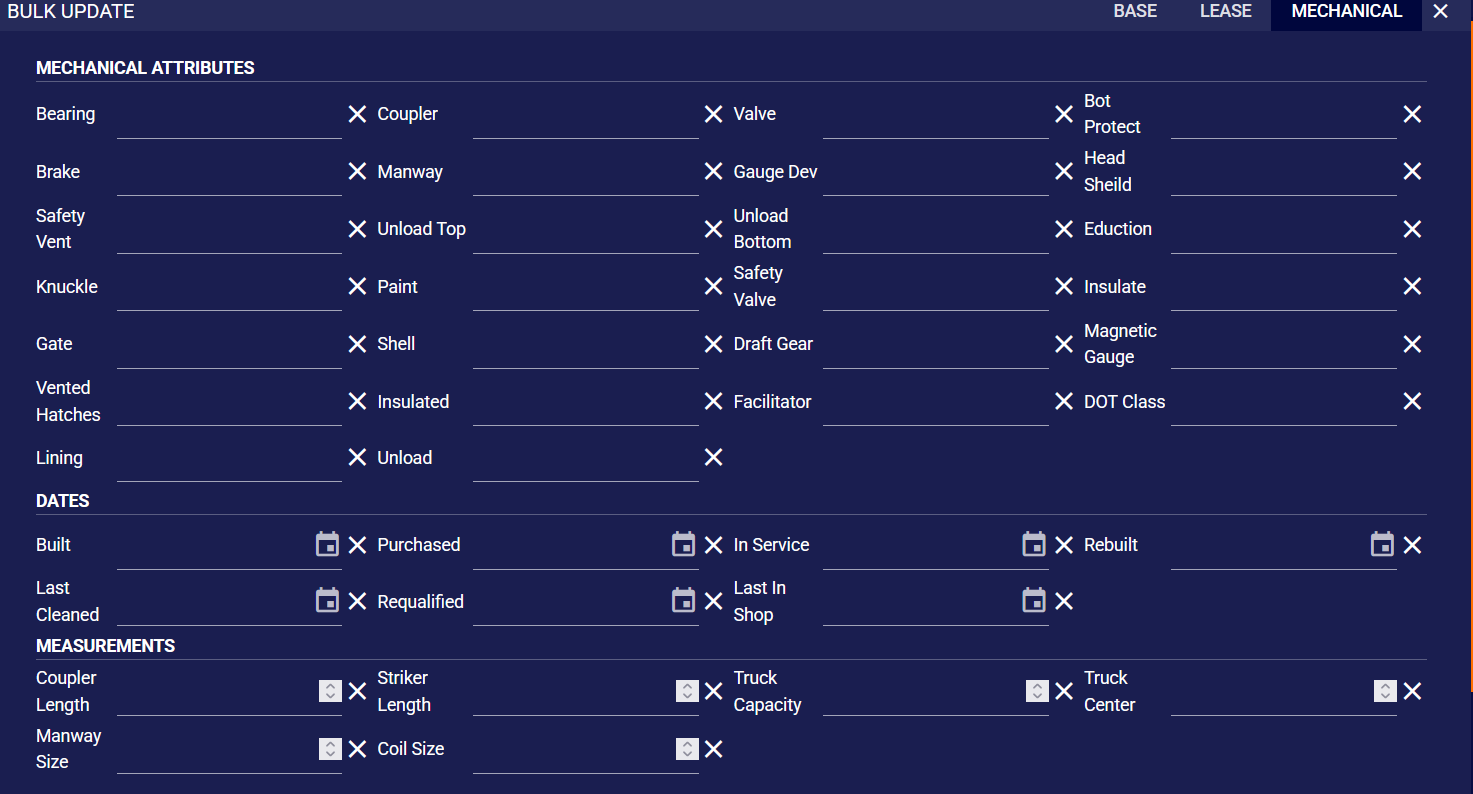
You can update car information based on three sections:
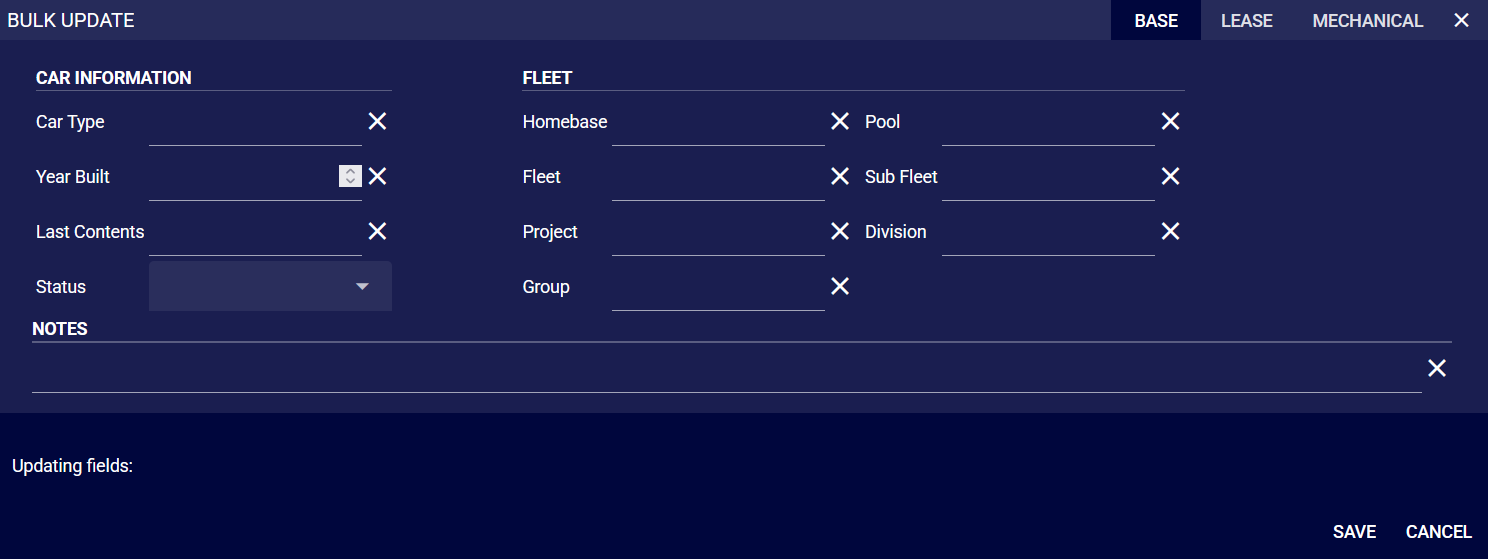
- The 'Base' section of the 'Bulk Update' tool allows users to alter essential information for a selection of railcars and enter any relevant notes. This includes updates to car types, years of manufacture, last contents, current status, and notes, as well as their assignment within the fleet structure, such as home base, fleet, project, pool, group, and division.
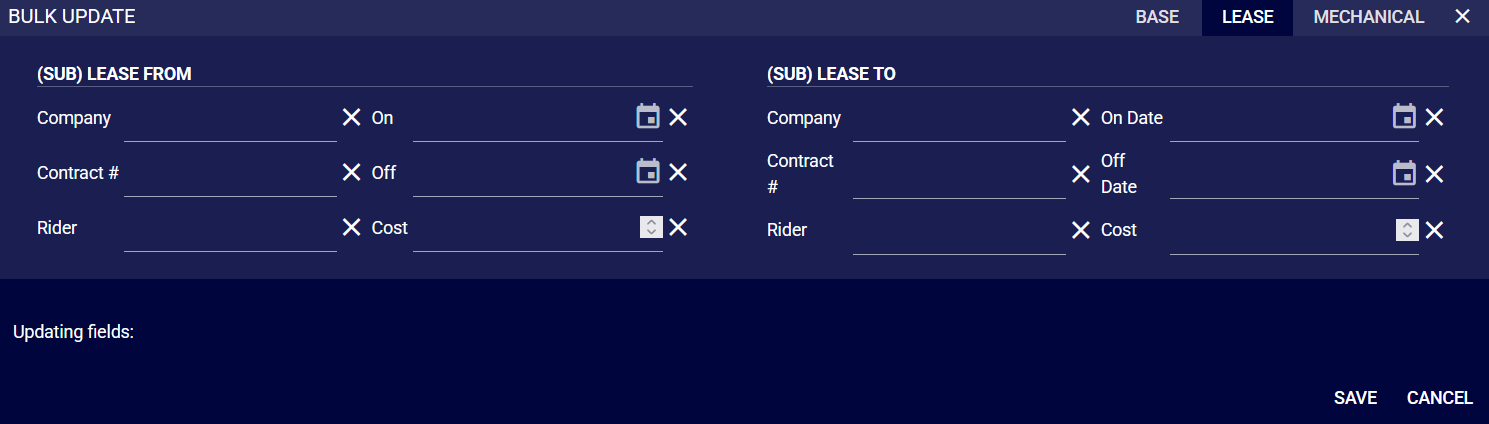
- The 'Lease' section allows for a user to update leasing information for multiple railcars. Users can modify details such as the leasing company, contract numbers, specific riders, and associated costs.
- The 'Mechanical' section allows users to update multiple railcars' mechanical details and specifications at once, including components, safety features, and structure. It also lets users revise dates of significant events and key physical dimensions to ensure railcars' records are up-to-date.